A flickering laptop screen is one of the most common faults we see at our Bentleigh East workshop – and it isn’t always the screen. About half the laptops we test have a worn display cable rather than a failed panel, which is a cheaper repair. We test for free and tell you which before quoting.
Quick checks you can do at home
- Move the lid slowly. If the flicker changes or stops at certain angles, it’s the display cable through the hinge.
- Plug in an external monitor. Steady external picture = laptop screen or cable. Flickering external picture = graphics driver or chip.
- Press the Windows key + Ctrl + Shift + B. This restarts the graphics driver. If the flicker stops for good, it was software.
- Check brightness. Flicker only at low brightness points to the backlight (PWM) rather than the cable.
- Look at the edges. A flicker with a dark or pink strip along one edge is a failing panel.
What the fault usually is, by symptom
| Symptom | Likely cause | Repair |
|---|---|---|
| Flicker changes when the lid moves | Display cable / hinge wear | Replace display cable |
| Flicker at any angle, external monitor fine | Panel or backlight | Replace panel |
| Flicker on external monitor too | Graphics driver or GPU | Driver reinstall; GPU fault needs board repair |
| Flicker with lines or colour tint | Damaged panel | Replace panel |
| Flicker after a drop | Loose connector or cracked panel | Reseat / replace |
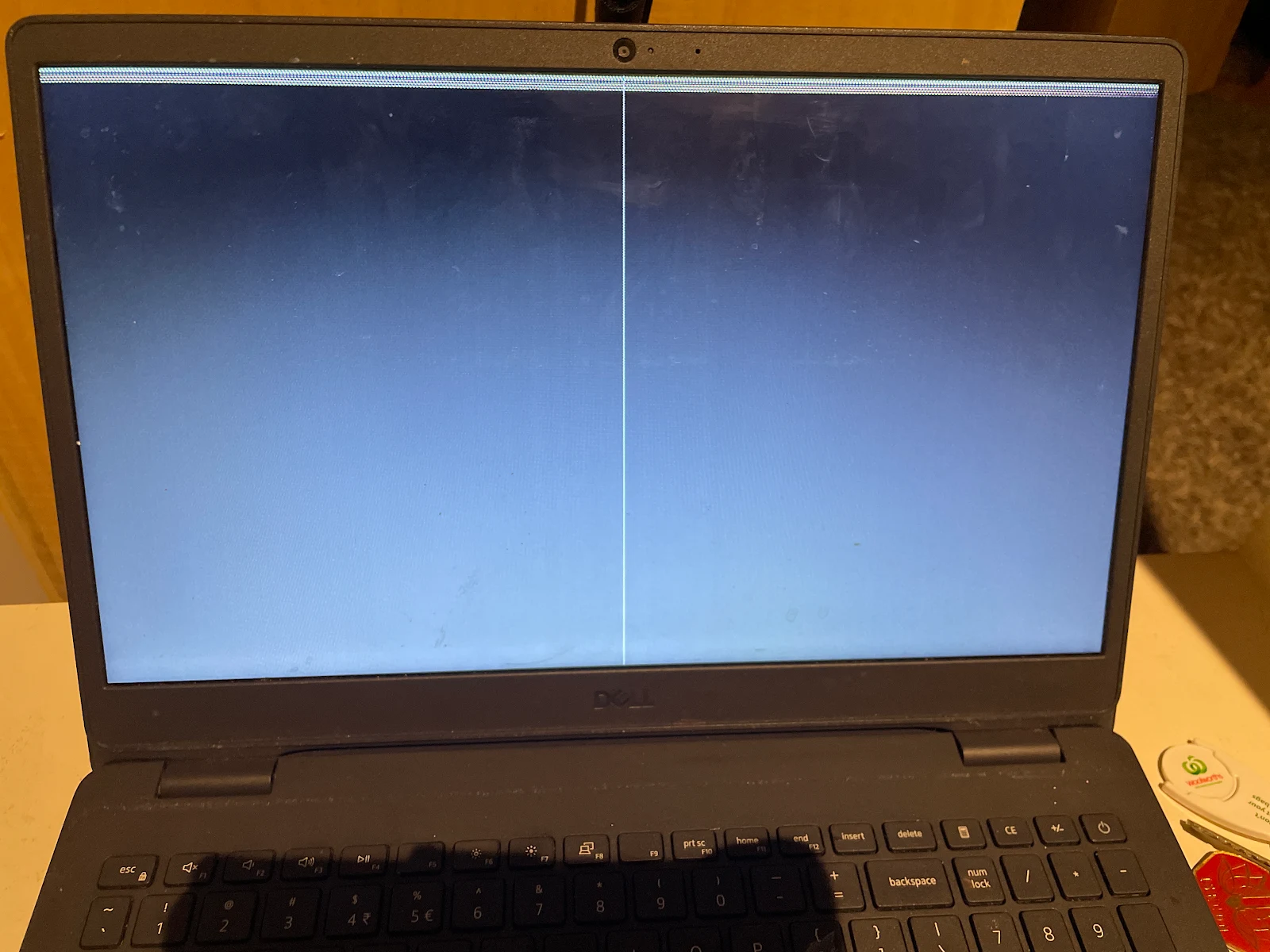
Laptops where flickering is a known issue
- HP Pavilion x360 and Envy x360 – cable wear from the 360° hinge
- Lenovo IdeaPad 3 and 5 – display cable pinched in the hinge
- Dell Inspiron 2-in-1 and Latitude 5000 series – cable and panel
- Microsoft Surface Pro 4 – the well-known “flickergate” panel fault – see Surface screen repair
- Acer Aspire 3 and 5 – hinge pulling the cable
How it works
- Text or call 0421 388 876 – describe the flicker and tell us the model.
- We confirm the price and whether the screen is in stock.
- Text or call before you come, then drop in to 2 Bellevue Rd, Bentleigh East VIC 3165 – open 5am–11pm, 7 days.
- Most in-stock screens are fitted while you wait.
Related: laptop screen black but the laptop is on, the price guide, and our laptop screen FAQ.
Frequently asked questions
Why is my laptop screen flickering?
The four usual causes, in order: a worn display cable in the hinge, a failing panel or backlight, a graphics driver problem, or a loose connector after a knock. The first two are the most common on laptops over two years old.
How do I tell if flickering is hardware or software?
Plug in an external monitor or TV. If the external picture is steady, the fault is the laptop’s own screen or cable (hardware). If the external picture flickers too, it’s the graphics driver or chip.
Can a flickering laptop screen be repaired without replacing it?
Often, yes. If the display cable is the cause, replacing the cable fixes it for less than a panel. If the panel itself is failing, replacement is the only fix.
How much does it cost to fix a flickering laptop screen?
A cable repair is cheaper than a panel; a panel is priced by size and type. Testing is free – Call or text 0421 388 876 and bring it in.
Will flickering get worse?
Yes. A cable fault usually progresses to a black screen or lines; a failing backlight eventually goes dark. Fixing it early avoids a bigger repair.